Fonts type live.
45 styles and 6 presets. Fonts go in letter by letter. Flipped text and spacers wait above the keys until you tap Insert.
 Typelace
A keyboard for iPhone and iPad. Pick a font and every letter goes in already styled, in any app that allows custom keyboards.

see you at midnight Script, moon wrap
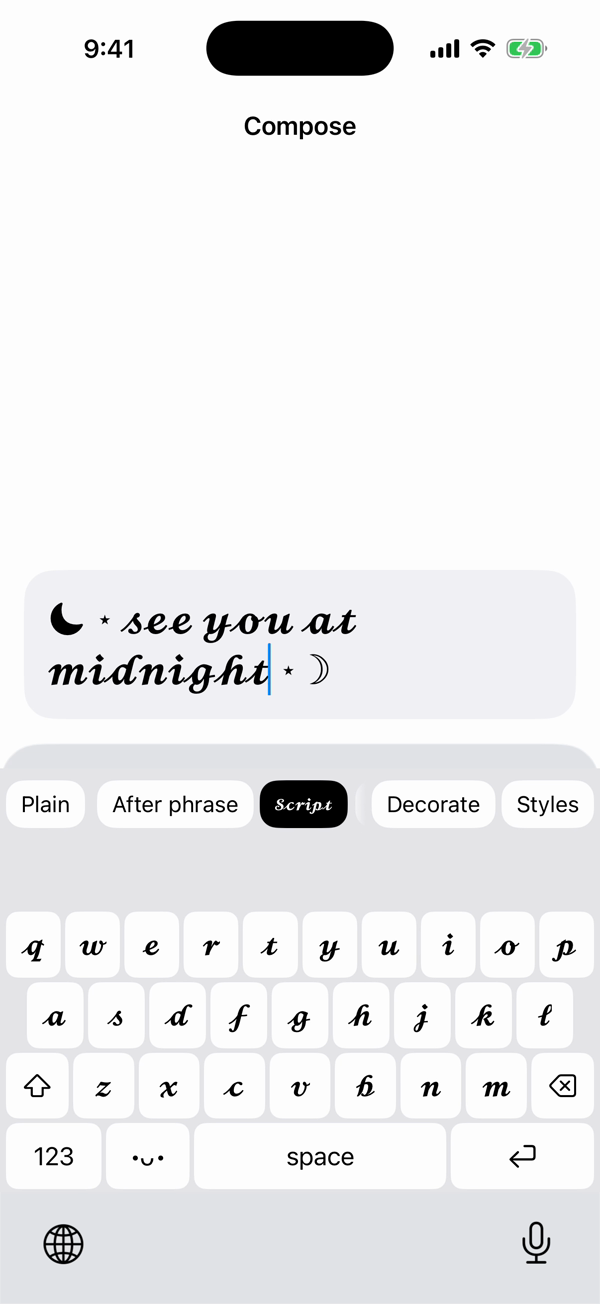
Switch to it with the globe key, pick Script, Gothic, or any other style, and type into any app that allows custom keyboards.
45 styles and 6 presets. Fonts go in letter by letter. Flipped text and spacers wait above the keys until you tap Insert.
40 wraps and 5 titles. Pick one in an empty field and your words fill in inside it. After existing text, the framed phrase builds in a strip above the keys and goes in when you tap Insert; mid-line, tap Compose here first. One sparkle wrap always builds in the strip. In ordinary text fields, the •ᴗ• key beside space holds up to 166 kaomoji in 25 sets and 359 symbols in 21 sections.
In ordinary fields with autocorrection and spell checking on, US English suggestions follow the word you’re spelling; tap one and the rest of the word goes in. In a draft, misspelled words get spelling fixes before Insert. Password fields and fields that take only plain letters use the iOS keyboard.
The keyboard reads the text around the cursor only to place frames and to capitalize when the field asks. Suggestions come from Apple’s on-device spelling checker and look only at the word you’re typing. Nothing you type is saved or sent.
45 styles in 8 categories, and 6 presets. Every one works in the app and on the keyboard.
Real text, ready to type or paste. How it looks can vary by app and device.
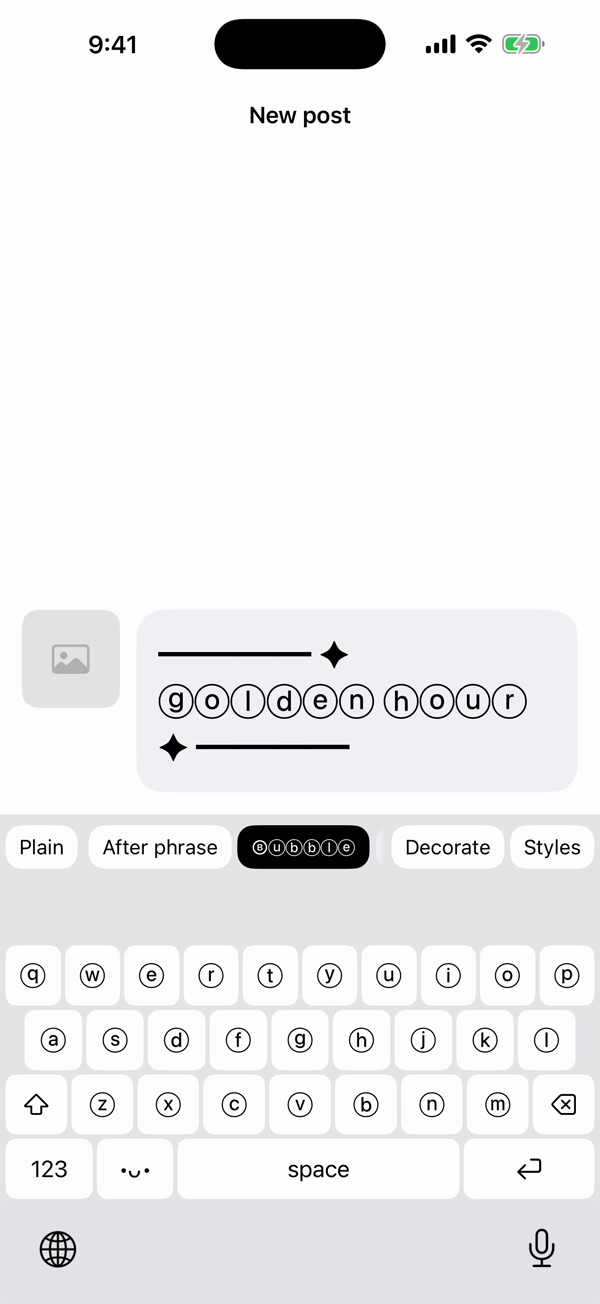
Pick Bubble, add a sparkle wrap, and type. The caption goes in styled.
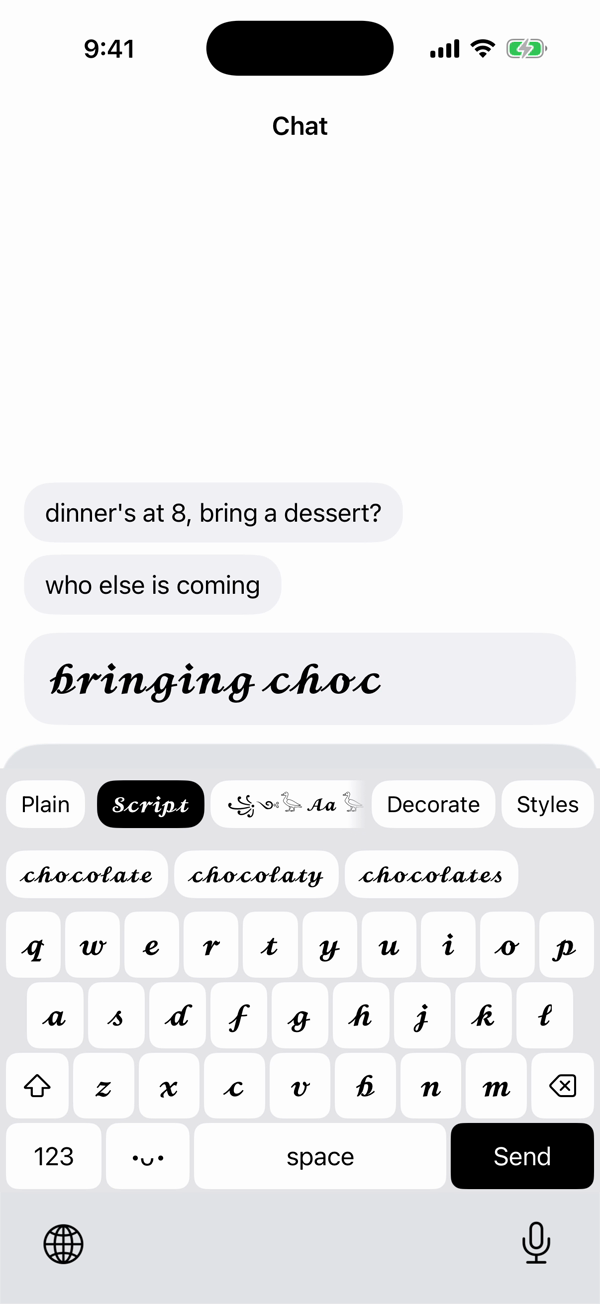
Type “choc” in Script and “chocolate” is already waiting above the keys, in Script too. Tap it and the rest of the word goes in with a space after.
Suggestions come from Apple’s on-device spelling checker and look only at the word you’re typing. Typelace doesn’t save that word or add it to a dictionary.
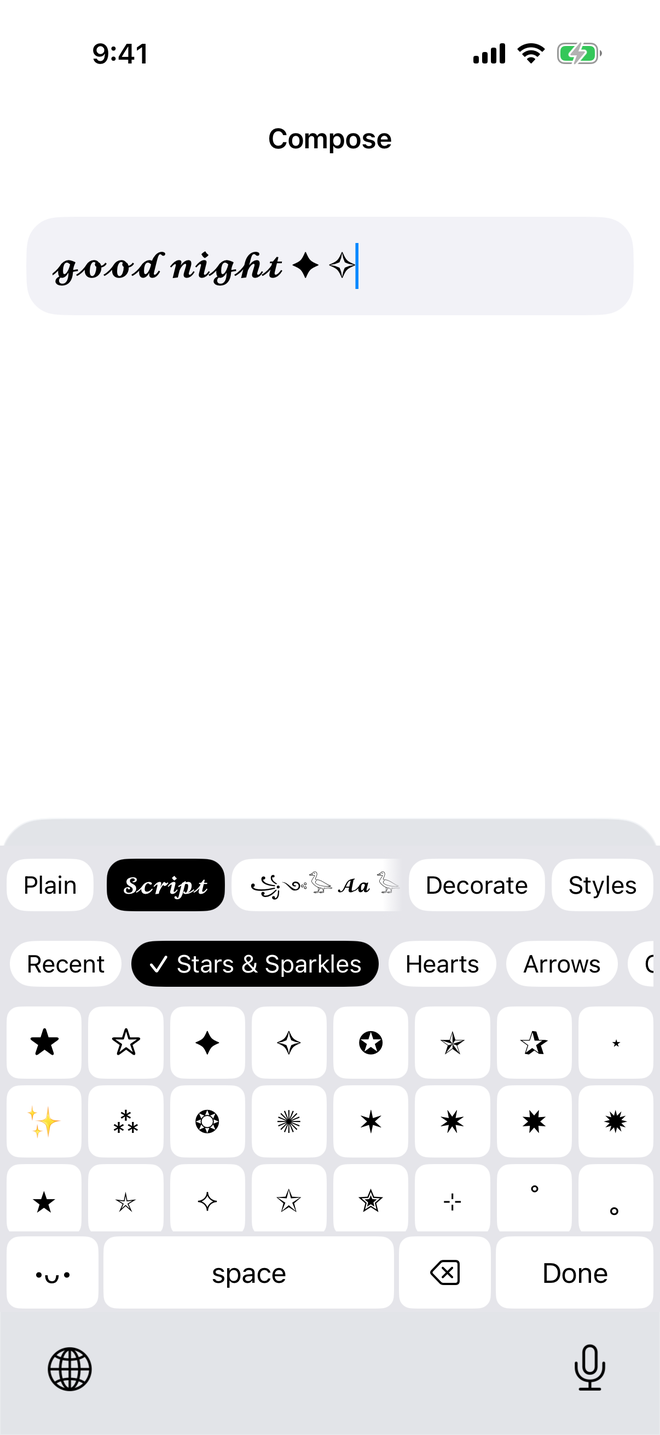
In ordinary text fields, tap the •ᴗ• key beside space, then the ☆♡ key. Pick one of 21 sections, such as Stars & Sparkles, Hearts, Arrows, or Egyptian, and tap a symbol. The panel stays open for the next one.
A symbol goes in as it is, whatever style is selected, at the cursor or in a draft you send with Insert. If your device can’t draw a symbol, the panel leaves it out.
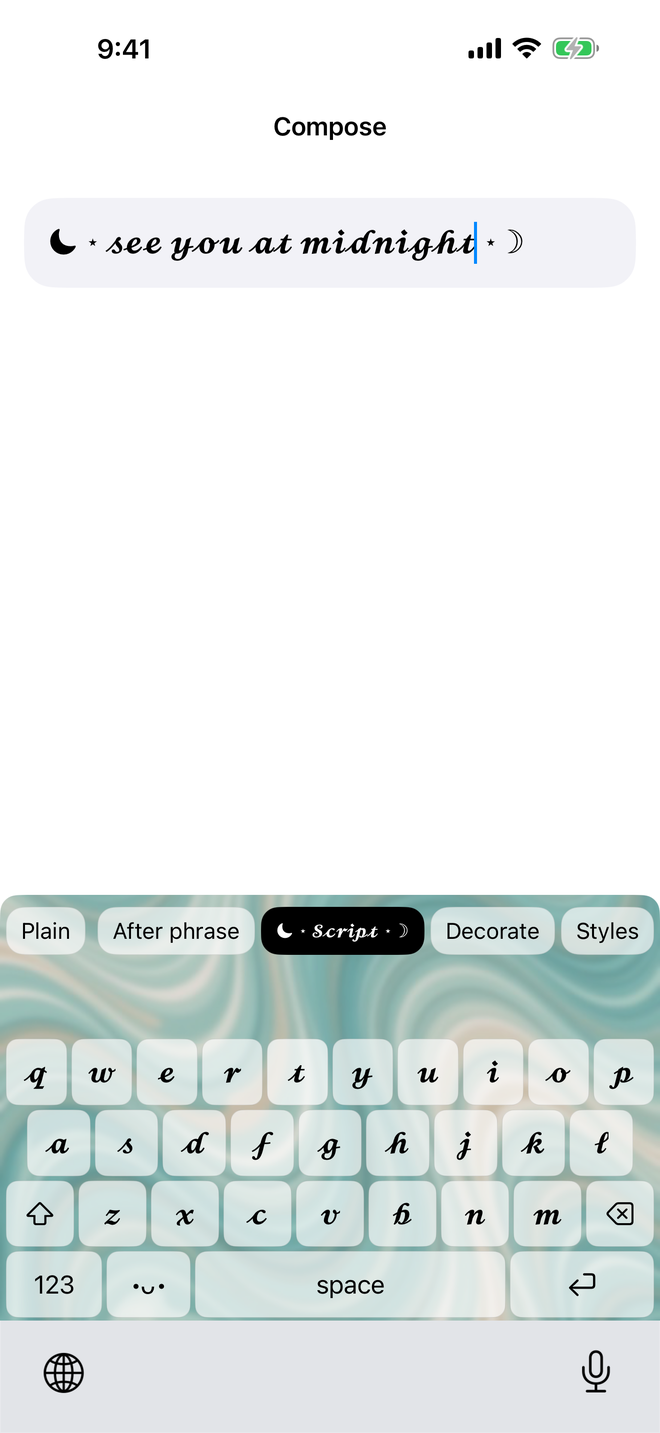
Pick one of 14 built-in backgrounds, from marbled paper to roses, or a photo of your own. Set the blur and the dim, and the keys frost over it.
You choose a photo in Apple’s picker. The app keeps a keyboard-sized copy that the keyboard can read but not change, and Typelace doesn’t upload it.
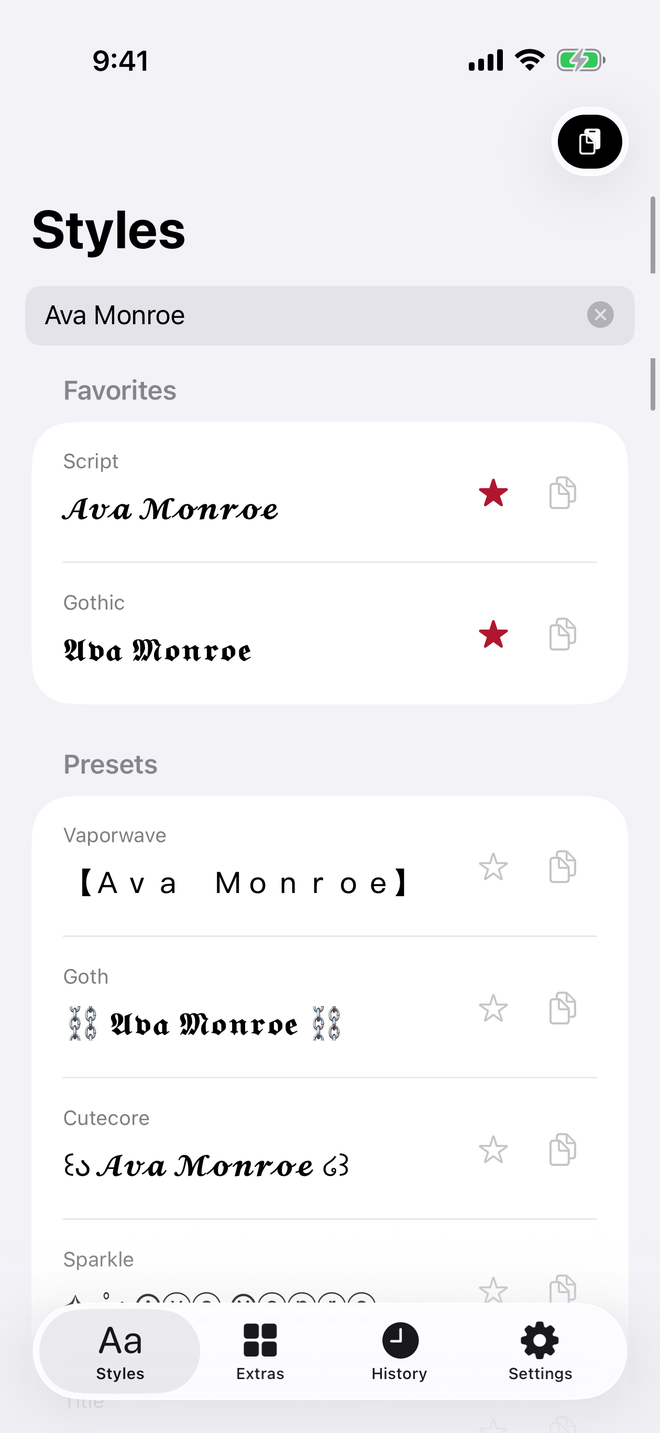
Type it once and see it in all 45 styles at once. Pick one, add one of 69 decorations, and copy it.
A style, or a style with its decoration, goes in Favorites and the share sheet. History keeps your last 50 copies on this device.
Select text, choose “Style with Typelace” from the share sheet, pick a style, and it’s copied.
There’s no account and no tracking, and the keyboard never asks for Full Access. Only six on/off Settings switches go to iCloud, when it’s available, so they match on your other devices.
Read the privacy policyThe keyboard and the app, in one download for iPhone and iPad.